
Reconciling Intercompany Transactions
Reconcile intercompany transactions effortlessly in Translucent, making it easy to manage balances between entities.
Step 1: Open the Reconciliation page to view both entities side by side, with all transactions allocated to the mapped loan accounts are displayed side-by-side in real time.
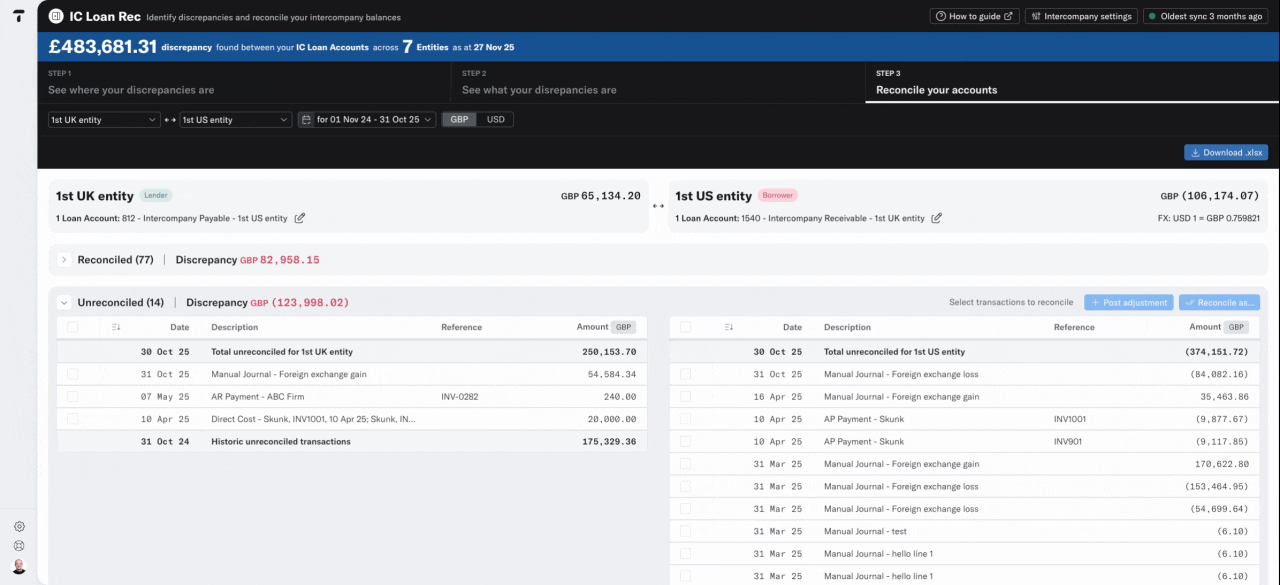
Step 2: Review the transactions, by working through the Unreconciled and Reconciled buckets. Adjust the date range to refine the transaction list and ensure you've included all transactions from the period you wish to review.
Step 3: Translucent automatically reconciles transactions that match by date and amount.
Step 4: If you are working across multiple currencies, you'll be able to see the current exchange rate in the header - this matches the balance sheet rate on the final date in your period.
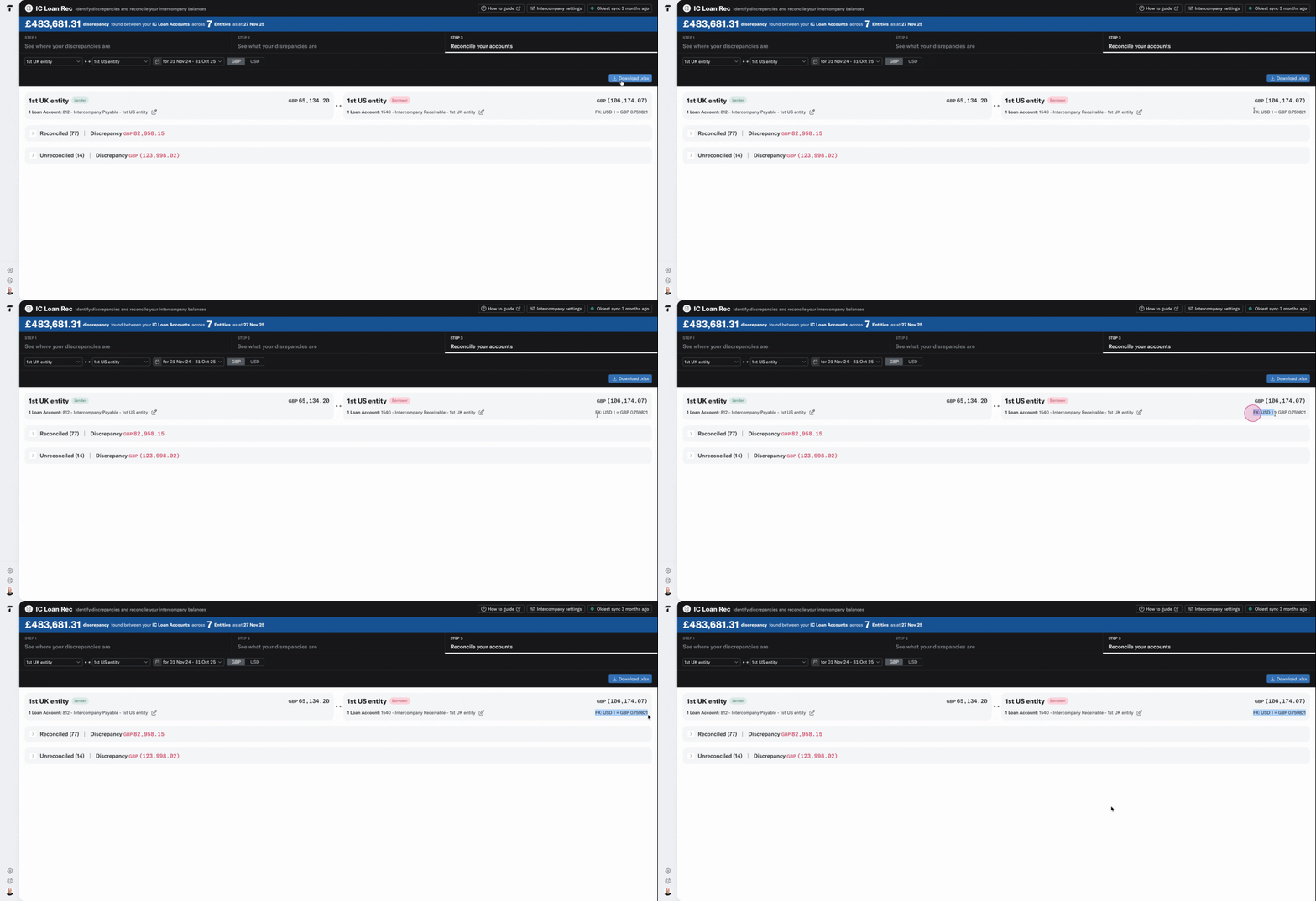
Step 5: Scroll to the Unreconciled transactions.
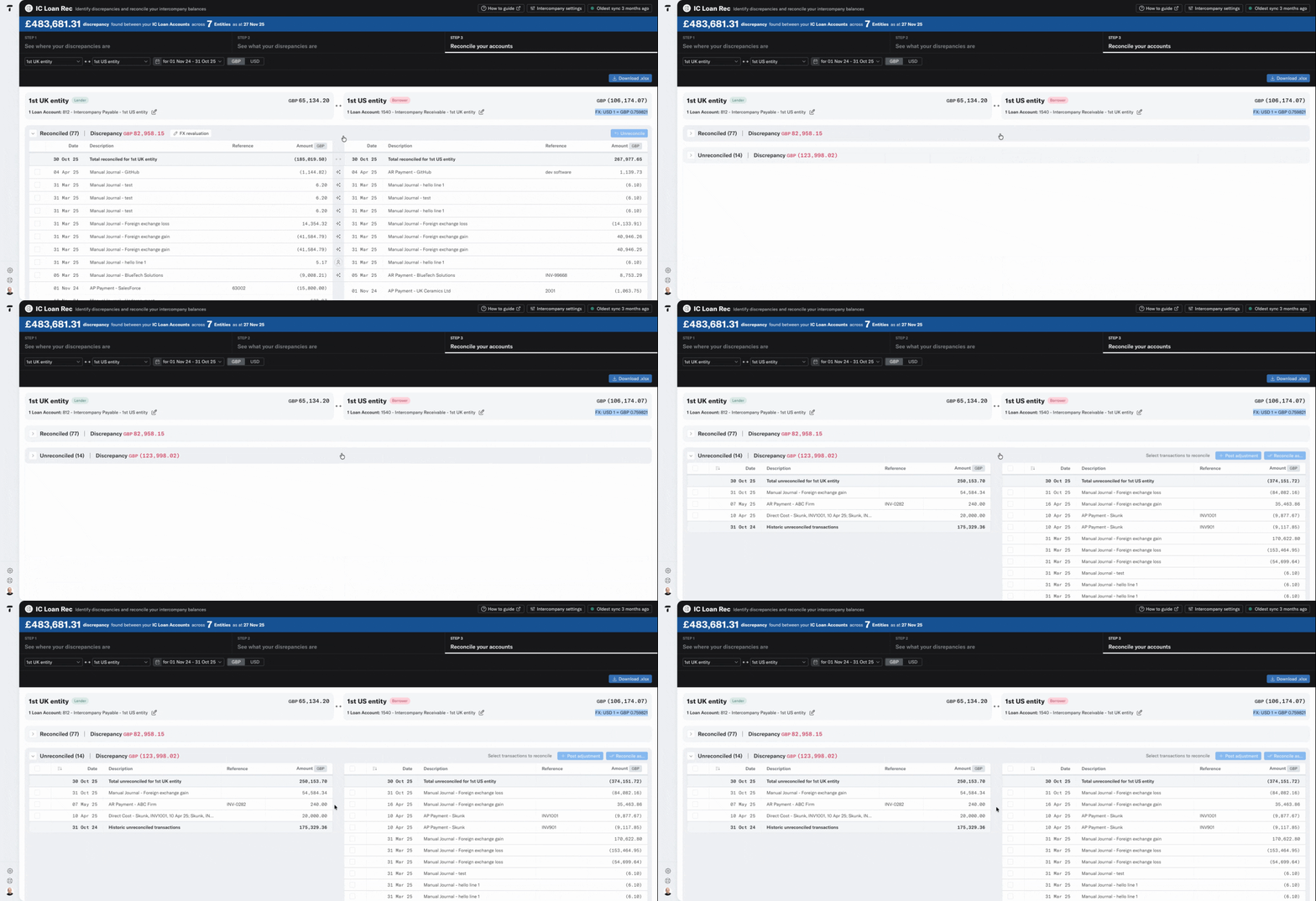
Step 6: Select a transaction from one entity and pair it with its counterpart in the other, by selecting the blue reconcile button.
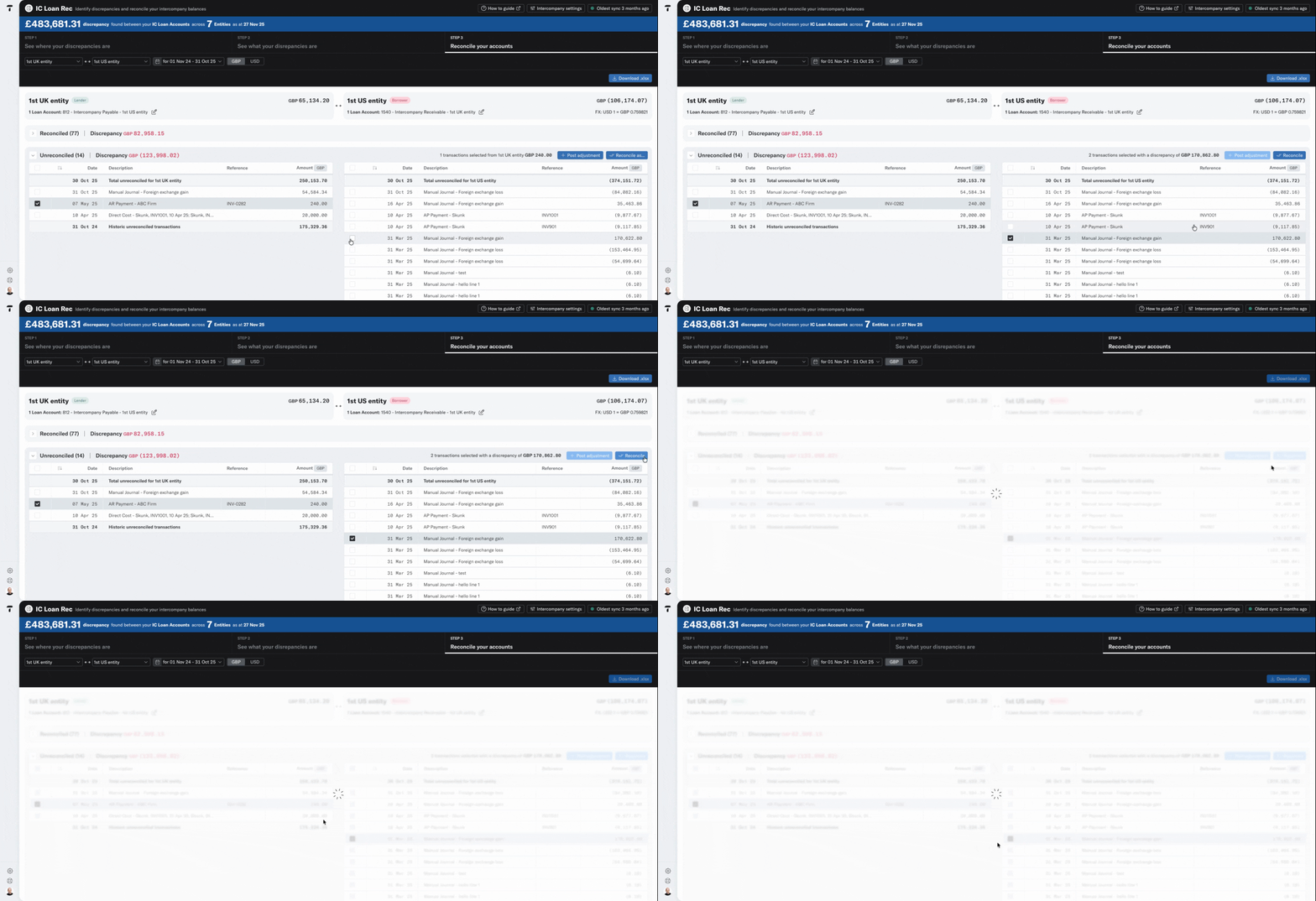
Step 7: You can reconcile one-to-many relationships by selecting a single transaction in one entity and matching it to multiple transactions in the other.
Step 8: If a transaction in one entity doesn’t have a corresponding entry, use the Post Adjustment feature to create a new journal entry and post directly back to your accounting software.
Step 9: Make sure you select the right account, set the tax treatment, and apply a tracking category if needed.
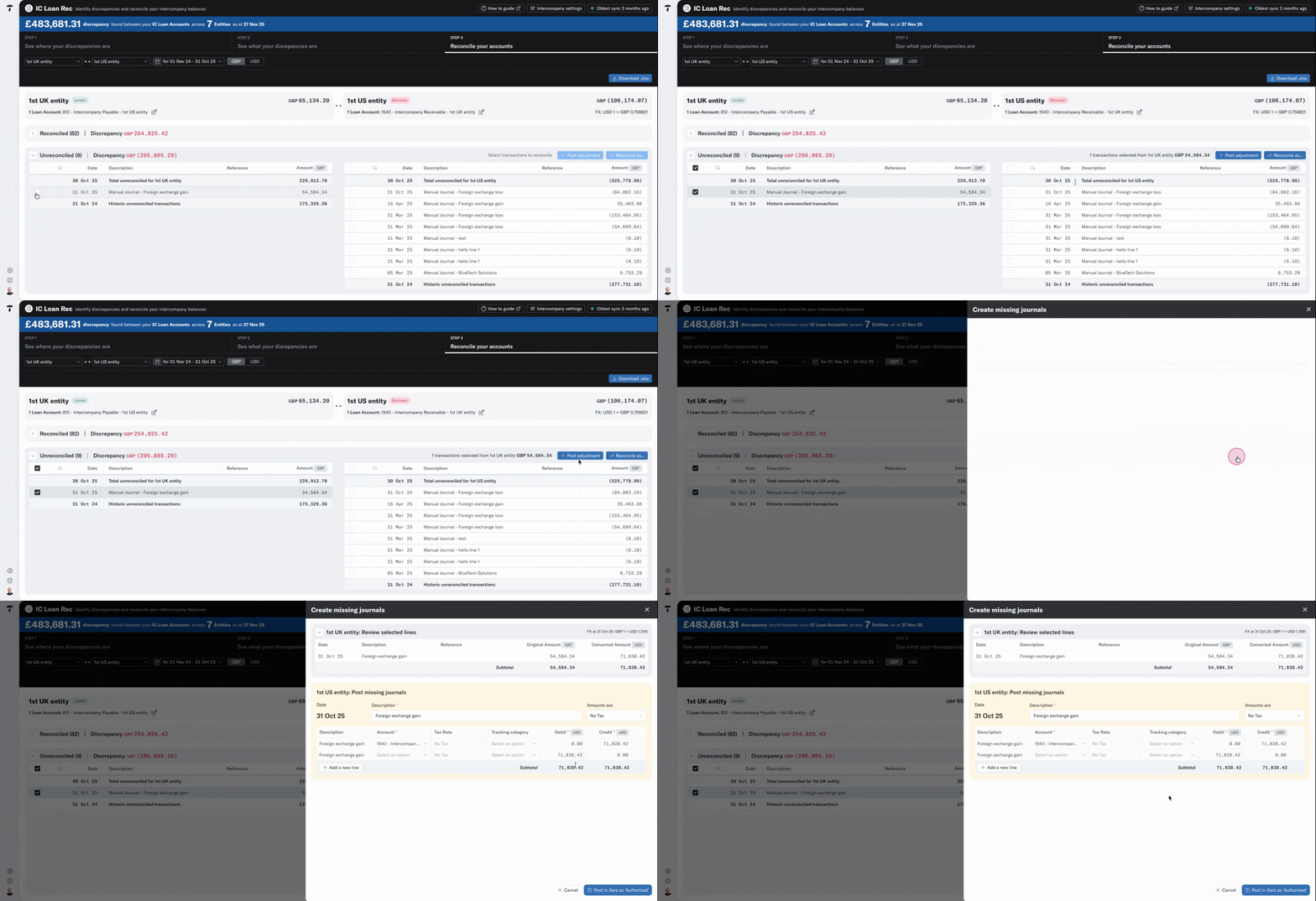
Step 10: Once posted the original transaction will then be matched with the new one and moved to the Reconciled bucket. You can then repeat the process until all the corrective journals have been posted.
Once you've balanced transactions, you can return to the main matrix to explore other relationships.