
Navigating your Intercompany Matrix
The Intercompany Matrix helps you quickly review balances and discrepancies across your group’s loan accounts and suppliers. With intuitive navigation and powerful filters, you’re always just a few clicks away from spotting issues and ensuring your accounts are balanced.
Step 1: Get a High-Level Matrix Overview
Start by reviewing a compact summary of balances across all entities. This view lets you quickly pinpoint which entity relationships are balanced or have a discrepancy.
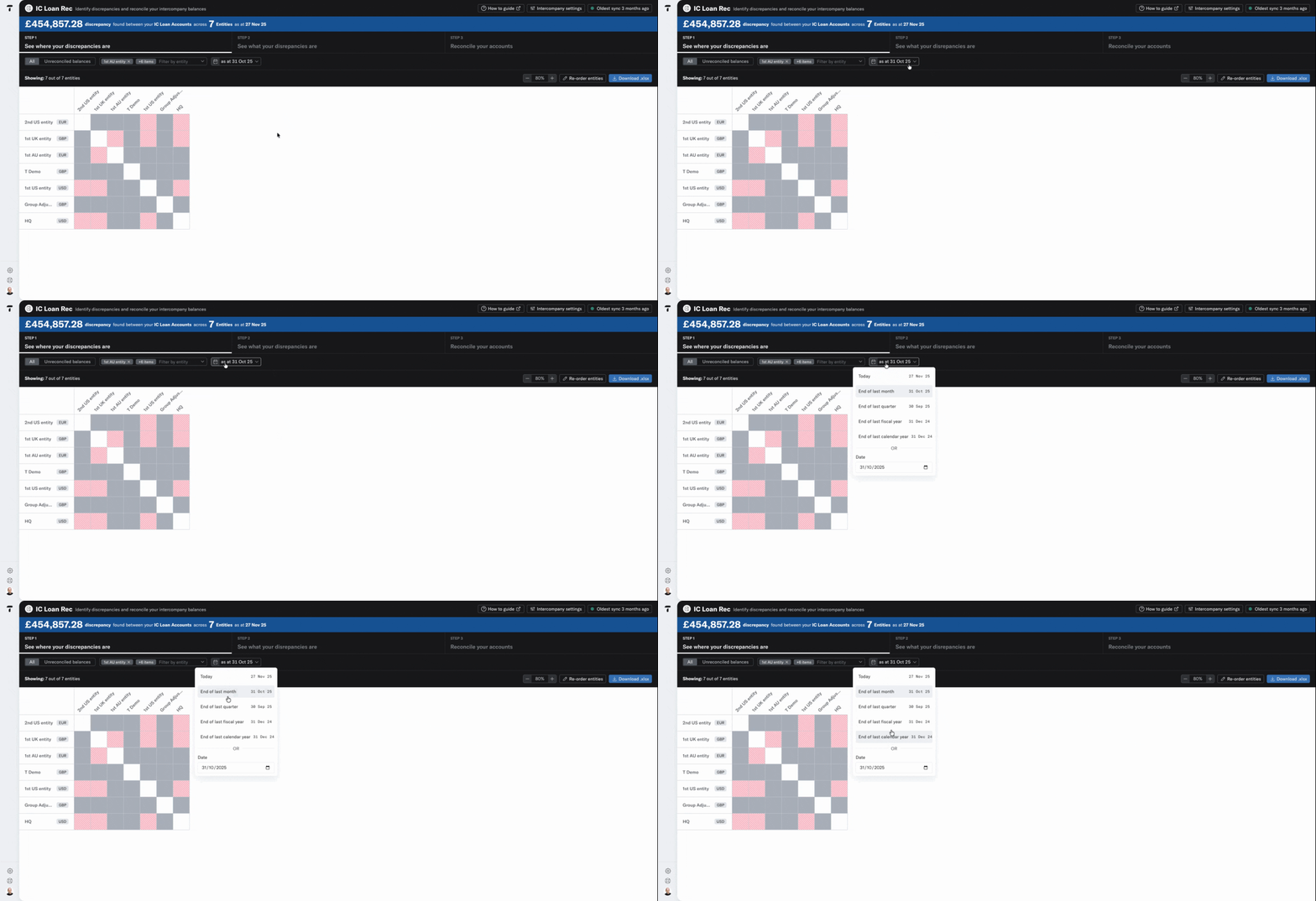
Step 1: Select the period you want to review with the date picker, selecting either a preset time period or custom date.
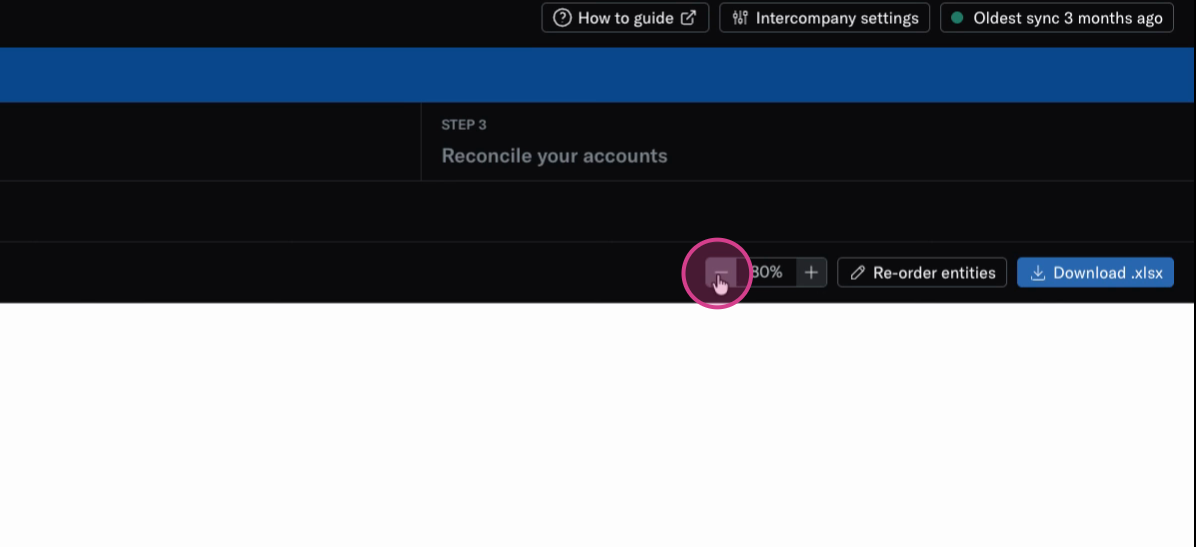
Step 3: You can use the zoom in/out function to adjust the matrix size in accordance with your group's needs.
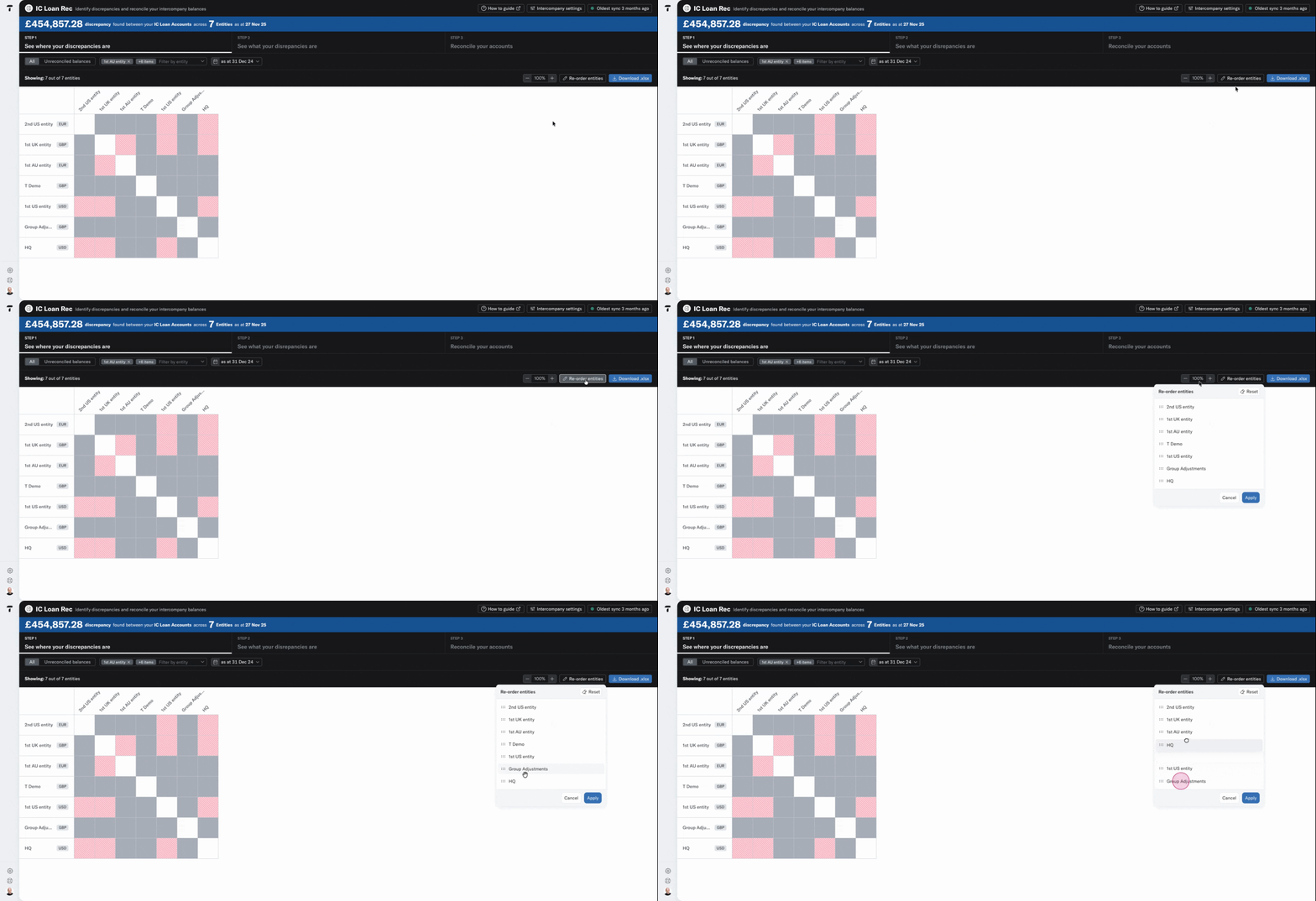
Step 4: Use the reorder function to arrange matrix rows and columns to your preference.
Step 5: Review your matrix: red highlights discrepancies, while green shows balanced relationships.
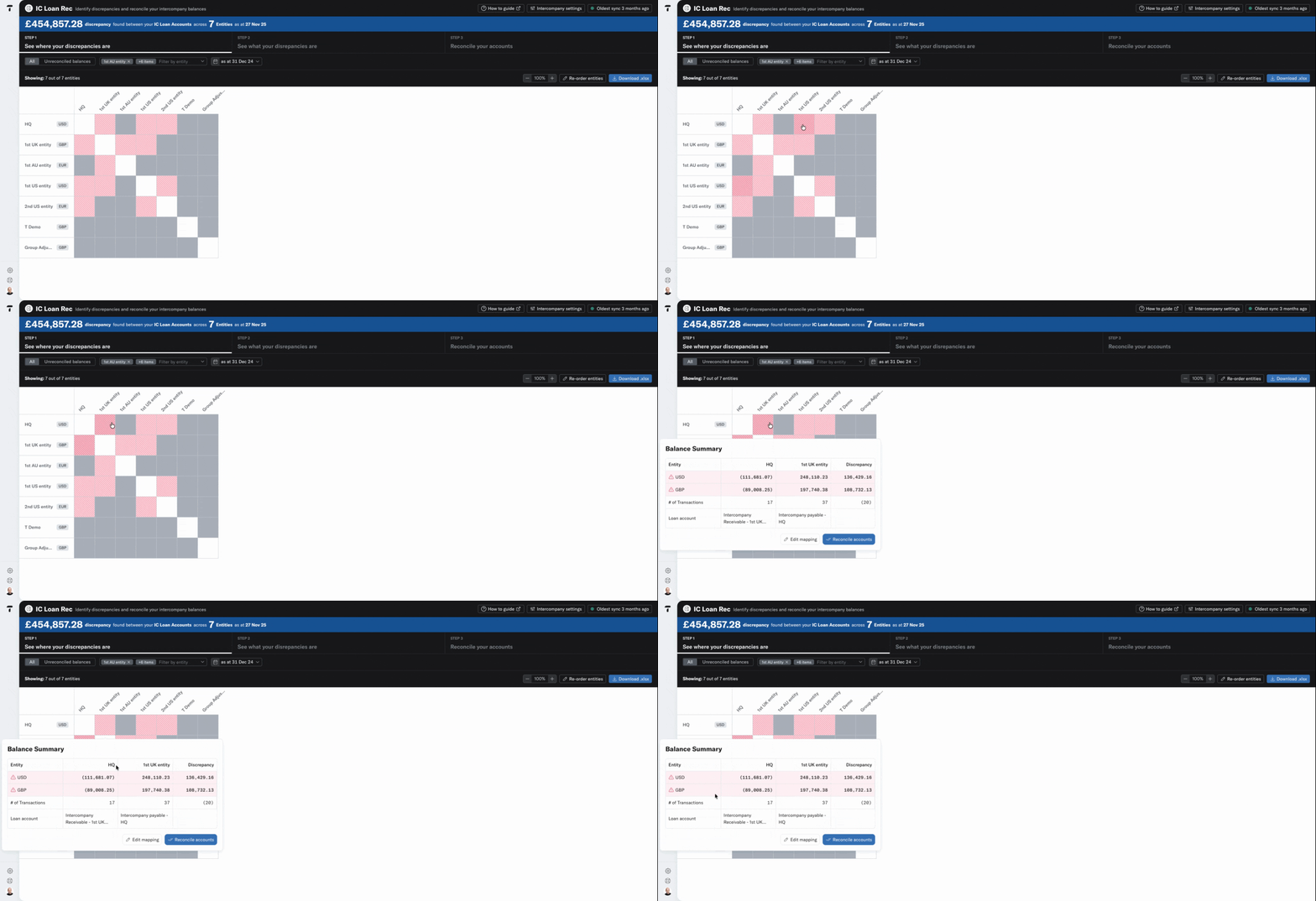
Step 6: Click a specific tile to see more detail about balances, discrepancies, and confirm your account mappings are correct.
Step 2: Dive Into Detailed Entity Analysis
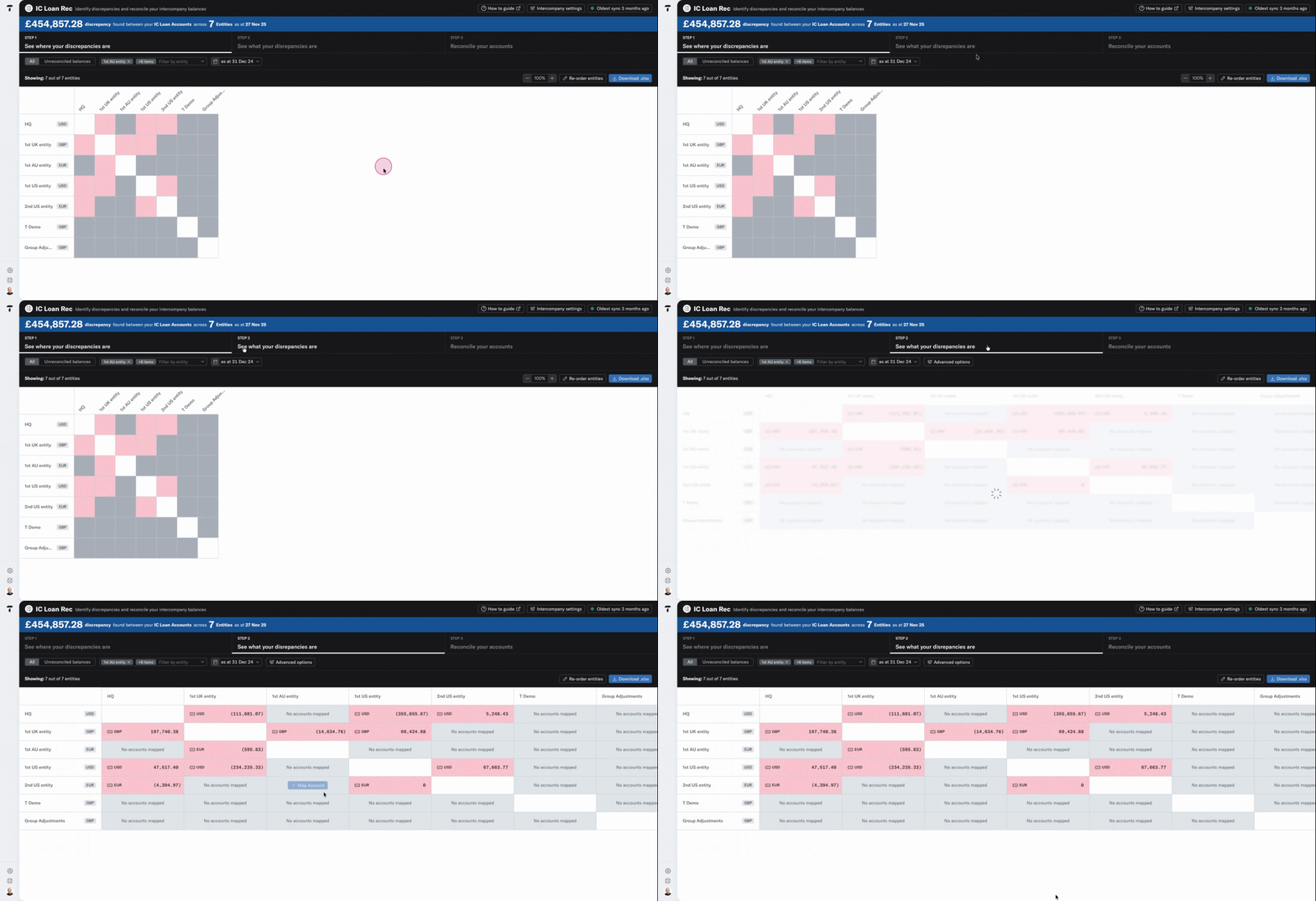
When you need to dig deeper, switch to the detailed matrix. This mode offers clarity on precise amounts and currencies.
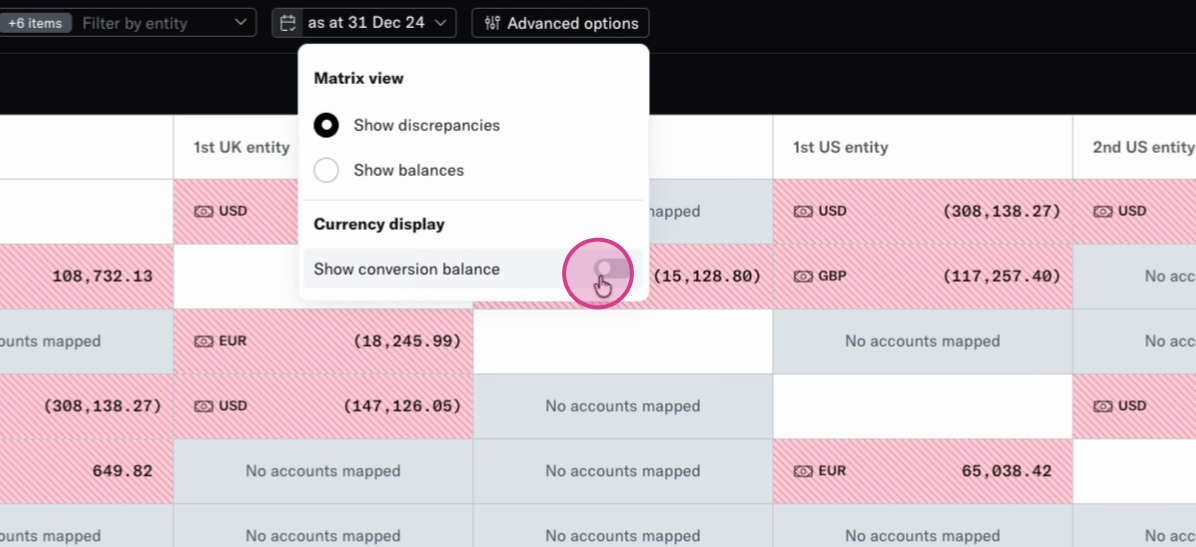
Toggle between balances or discrepancies within each tile, to match your preferred view. For entities with multiple currencies, turn on conversion balances to see currency breakdowns across the group.
Step 3: Export and Investigate Account Details
Once you spot a balance you need to investigate, you can use the reconciliation function to explore the root cause of the issue or use our download function to export the current view to excel.